TL;DR
- An AI Cartoons IRL channel posts original 2D cartoon characters reimagined in photoreal live action.
- It is a ready-made naïve template: an agent team makes the videos, you approve what posts.
- Characters are original, never a real show's, no real person is shown, and every video is labelled AI.
- To start, sign up for a naïve account, then deploy the AI Cartoons IRL Channel template.
An AI Cartoons IRL channel turns original 2D cartoon characters into photoreal live-action versions, and it runs as a ready-made naïve template.
There is nothing to film. The characters are original, and every video is labelled AI-generated.
Step one is a naïve account. Then you deploy the template, and every video waits for your approval before it posts.
What is an AI Cartoons IRL channel?
It is one ready-made company template, not a pile of tools you wire together. When you deploy the template, naïve sets up — in a single step — a small team of AI agents, a channel dashboard to manage the queue, your connected posting accounts, and the budgets those agents run under. The cartoons-irl version is a style of the faceless short-form channel — the same underlying setup, with the format pinned (a built-in set of instructions) on every agent so it already knows the look.
Each video follows the same recognisable shape:
- The reveal — an original 2D cartoon character, shown as a real, photoreal person in its setting.
- The beat — the character acts out one funny sitcom moment: a line, a reaction, a bit of business.
- The button — a final reaction or sight gag, then it holds.
The whole video runs 15 to 30 seconds. The live-action version keeps the cartoon's silhouette, colors, wardrobe and personality, so it reads as "that cartoon, real" rather than a random person.
Before you start
You do not need much, and that is the point. Still, three things make the first week go better:
- A character idea, or your own. The agents invent an original cartoon character for each video. If you already have cartoon characters you own, the channel can use those instead.
- A clear line on originality. If a viewer would recognise a character as a specific real show's, it has gone too far. The agents are told to redesign it, and the approval queue is where you check.
- A cadence you will actually approve at. One a day you review is worth more than ten a day you ignore.
Set it up in five moves
Setup is a short interview, not a configuration screen. Here is the whole shape before you touch it:
01
Sign up for naïve
Create a naïve account at app.usenaive.ai. The template and its agents run there.
02
Deploy the template
Start from the AI Cartoons IRL Channel. The cartoons-irl skill is already pinned, so the team knows the format on day zero.
03
Answer the question
Your posting cadence. That is the entire brief.
04
Agents produce
On your schedule, they invent a character, restyle it from 2D to photoreal, and generate a short scene.
05
You approve
Each finished video waits in a queue with its caption and AI label. Approving is the only way it posts.
1. Sign up for a naïve account
The channel runs on naïve, so start by creating an account at app.usenaive.ai.
2. Deploy the AI Cartoons IRL Channel
From your naïve account, start from the company template page and deploy the template. Because cartoons-irl is a style of the faceless short-form channel, the agent team arrives already knowing the format — you are not teaching it how to turn a cartoon real, you are telling it how often to post.
3. Answer the setup question
This template asks one question before it sets anything up:
- Posting cadence — how often you want the channel to post.
The answer is not thrown away after setup. It becomes part of the project context every agent reads at the start of every run, and you can edit it later. Change the cadence in week three and the next batch follows it.
How often should your Cartoons IRL channel post?
The agents read this before every run, so pick a pace you will actually review.
- Once a day
- Twice a day
- A few times a week
- Once a week
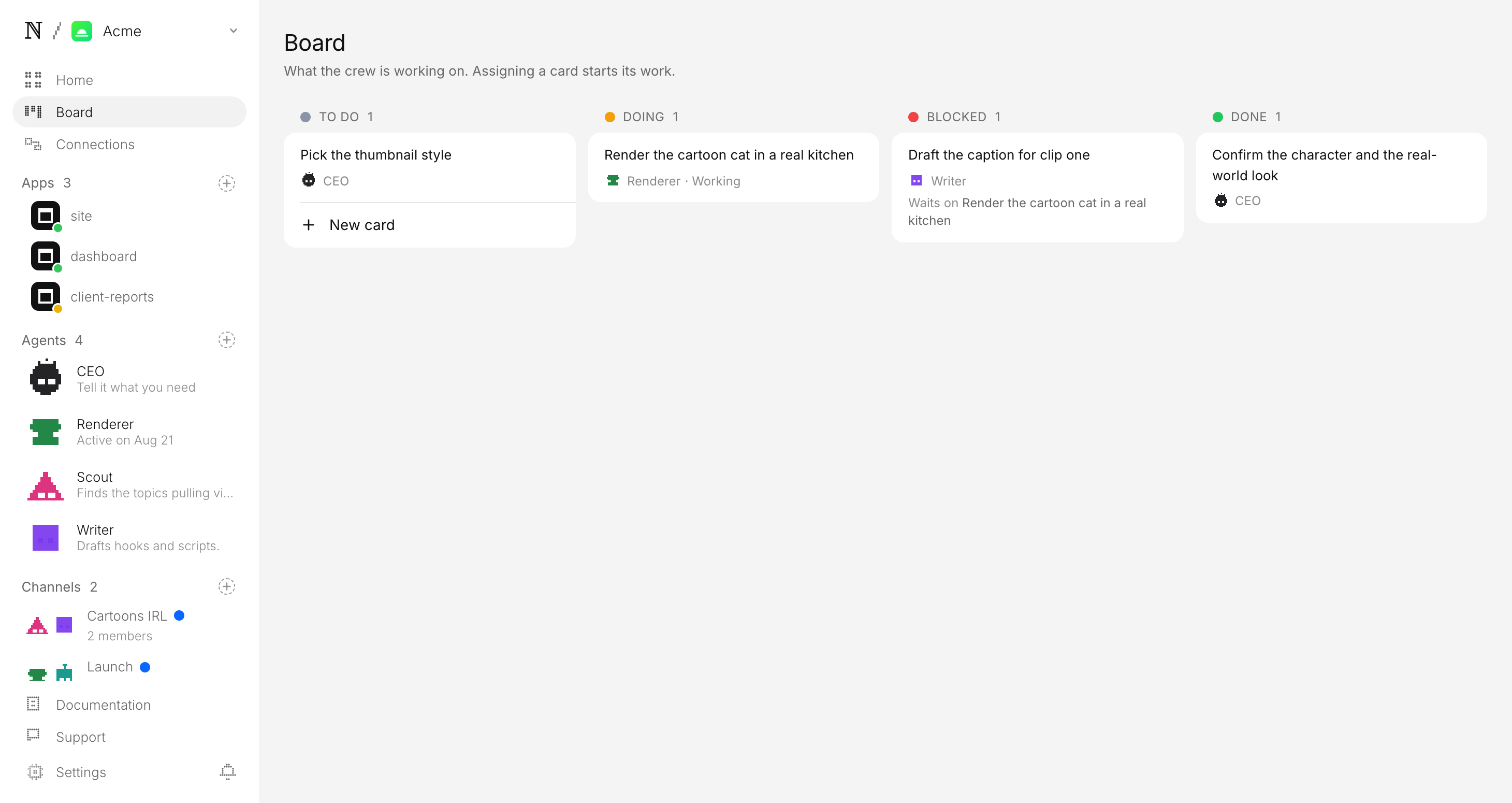
4. Let the team produce the first batch
On the schedule you set, the agents wake up and go to work. They do not run around the clock; they only run at the scheduled times you choose, so between those runs nothing is running and nothing is spending. When a scheduled run starts, the team:
- Plans an original cartoon character and a three-beat scene — the reveal, the beat, the button — with the caption written and labelled AI.
- Restyles a 2D cartoon reference frame into a photoreal frame of the same character, then animates that frame segment by segment.
- Holds the character by carrying the first photoreal frame through every segment, so the same person appears from start to finish.
If the queue is already ahead of you, it makes nothing. The backlog is treated as a signal to stop, not a number to grow.
5. Approve before anything posts
This is the step that matters most, so it is worth being precise about. Every finished video is filed as a pending post, not a published one. It lands in a review queue with everything attached:
- The video, ready to play, already carrying its AI-generated label.
- The caption, written in your channel's voice.
- Where and when it is queued to go.
You watch it, edit the caption if you want, and approve or hold. Approving is the only path onto TikTok, Reels, or Shorts — there is no setting that lets a video skip you.
Publisher wants to post to TikTok, Instagram and YouTube
- Caption
- What if the cartoon dad was real? (AI-generated) #cartoonsinreallife #ai #animation
- Goes out
- Tomorrow 4:22 PM ET
- Visibility
- Public
What are the specs for each platform?
The output is a single vertical file that fits every short-video surface, so you are not re-cutting for each app. The specs below are the same across all three destinations — only the caption framing changes:
| Destination | Duration | Aspect ratio | Caption & hashtags |
|---|---|---|---|
| TikTok (For You) | 15–30s | 9:16 vertical | Opens on the reveal; caption written by the agents, labelled AI |
| Instagram Reels | 15–30s | 9:16 vertical | Same file; caption labelled AI |
| YouTube Shorts | 15–30s | 9:16 vertical | Same file; caption labelled AI |
Captions are added when the segments are joined, never baked into the generated footage, so the picture stays clean. Post the same video to all three, or pick the ones your channel uses. Either way, each post still parks in approval first.
What keeps the channel in your control?
Two guarantees sit under everything the agents do, and both are enforced by the platform itself rather than left to the agents to honour on their own:
- A budget it cannot raise. You set a daily cap per agent and a cap per task. Every generation is priced before it runs, and a batch that would blow the cap stops instead of spending. The channel cannot surprise you on cost.
- A queue it cannot skip. The agents do the week's work — planning, generated videos, captions — but your posting account itself is yours alone. The pending-approval queue is the only way anything reaches it.
What does your first week look like?
A realistic first week looks like this. Sign up for naïve, deploy the template, and set your cadence. Let the first batch build on the next scheduled run. In the morning, open the queue, watch a handful of videos, and approve the ones that are genuinely good and clearly original. Repeat. The team reports which videos did best, so by the end of the week you will have a feel for which characters and beats land.
If you want to run a different generated format on the same platform, the animals eating channel generates one healthy animal eating a big feast, and the faceless video channel guide covers naming any niche at setup. You can also browse the full faceless video channel company. The approval and budget rules in this guide are identical across all of them.
FAQ
- Does the channel use characters from real cartoon shows?
- No. The characters are original — invented by the agents, or your own cartoon characters if you have them. The channel never reproduces a real show's characters, stills, names or logos. It takes the technique, a flat 2D look turned photoreal, not anyone's property.
- Do I need a camera, actors, or animation software?
- No. Every video is generated, so there is nothing to film. The template ships a matched pair of reference frames — an original 2D cartoon family and the photoreal version of one of them — and the agents work from those.
- Does it show real people, and how do viewers know it is AI?
- No real person is ever shown. The live-action character is an invented person, not anyone real or famous, and every video is labelled as AI-generated. The approval step is where you confirm each video before it posts.
- How many videos can it make per day?
- As many as the cadence you set and the budget you give it. If the review queue is already ahead of you, the agents make nothing rather than piling up more — the backlog is a signal, not a target.
- What does it cost to run?
- You set a daily cap per agent and a cap per task at setup, and the platform prices every generation before it runs. A batch that would exceed the cap stops instead of spending, so the channel cannot surprise you on cost.