TL;DR
- A long-form video channel posts researched one-to-three-minute explainers, essays, and deep dives.
- It is a ready-made template that runs on naïve: an agent team does the work and you approve what goes out.
- You set a daily cap per agent and per task, and a run that would exceed it stops.
- To start, sign up for a naïve account, then deploy the Long Form Channel template.
A long-form video channel is a ready-made naïve template: an AI agent team, running on naïve, makes researched one-to-three-minute pieces and you approve each one.
Each day the team takes one subject, sources every claim, and plans it against a real video of the same length. Nothing publishes until you approve it.
Step one is a naïve account. Then you deploy the template.

Explainers

Essays

Documentaries

Deep dives

History
What is a long-form video channel, really?
It is one ready-made company template you deploy, not a stack of tools you wire together. Deploying it sets up, in a single step, a small team of AI agents, a channel app to manage the queue, your connected posting accounts, and the budgets those agents run under. The team is built for the difference between a short and a piece measured in minutes — it researches before it writes, and it does not spend on a render until the structure is settled.
Each piece moves through the same discipline:
- One subject, sourced claim by claim until four or five claims hold.
- A plan borrowed from a real video of this length — how it opens, where it turns, what it does at the moments a viewer would otherwise leave.
- A render in segments, joined into one file and probed against the plan before it goes anywhere.
Set it up in five moves
Setup is a short interview, not a configuration screen. Here is the whole shape before you touch it.
01
Sign up for naïve
Create your naïve account at app.usenaive.ai. The template runs inside it.
02
Open the company
Deploy the ready-made template from the long-form channel — one step sets up the agent team, dashboard, posting accounts, and budgets, built for pieces measured in minutes, not seconds.
03
Answer four questions
Your niche, the apps it posts on, a look to model, and the cadence. That is the entire brief.
04
Research, plan, render
One subject a day, sourced, planned against a real video of this length, rendered in segments and joined.
05
You approve the file
Each finished piece waits with its caption. Approving is the only way it posts.
1. How do you get started?
Sign up for a naïve account. The template, its agents, and their budgets all run inside that account.
2. How do you open the company?
From your naïve account, deploy the template from the company page — one step sets up the agent team, the channel dashboard, your posting accounts, and the budgets. Because the team is built for the long format, you are not explaining what an explainer or a documentary is — you are pointing it at your version of one.
3. What does setup ask?
The team asks exactly four things before it sets anything up:
- Niche — the lane your channel runs in.
- Apps — which of TikTok, YouTube, and Instagram this channel posts on.
- Reference — a channel or video whose structure you want to borrow.
- Cadence — how often you want to publish.
What subject does your long-form channel go deep on?
The agents read this before every run, so a sharp lane plans a tighter piece than a broad one.
- Science explainers — one idea, built from the ground up
- Video essays — an argument with a point of view
- Mini-documentaries — one story, sourced and narrated
- History deep dives — how it happened, start to finish
These answers are not thrown away. They become the project context every agent reads at the start of every run, and you can edit them later.
4. How does the team research, plan, and render?
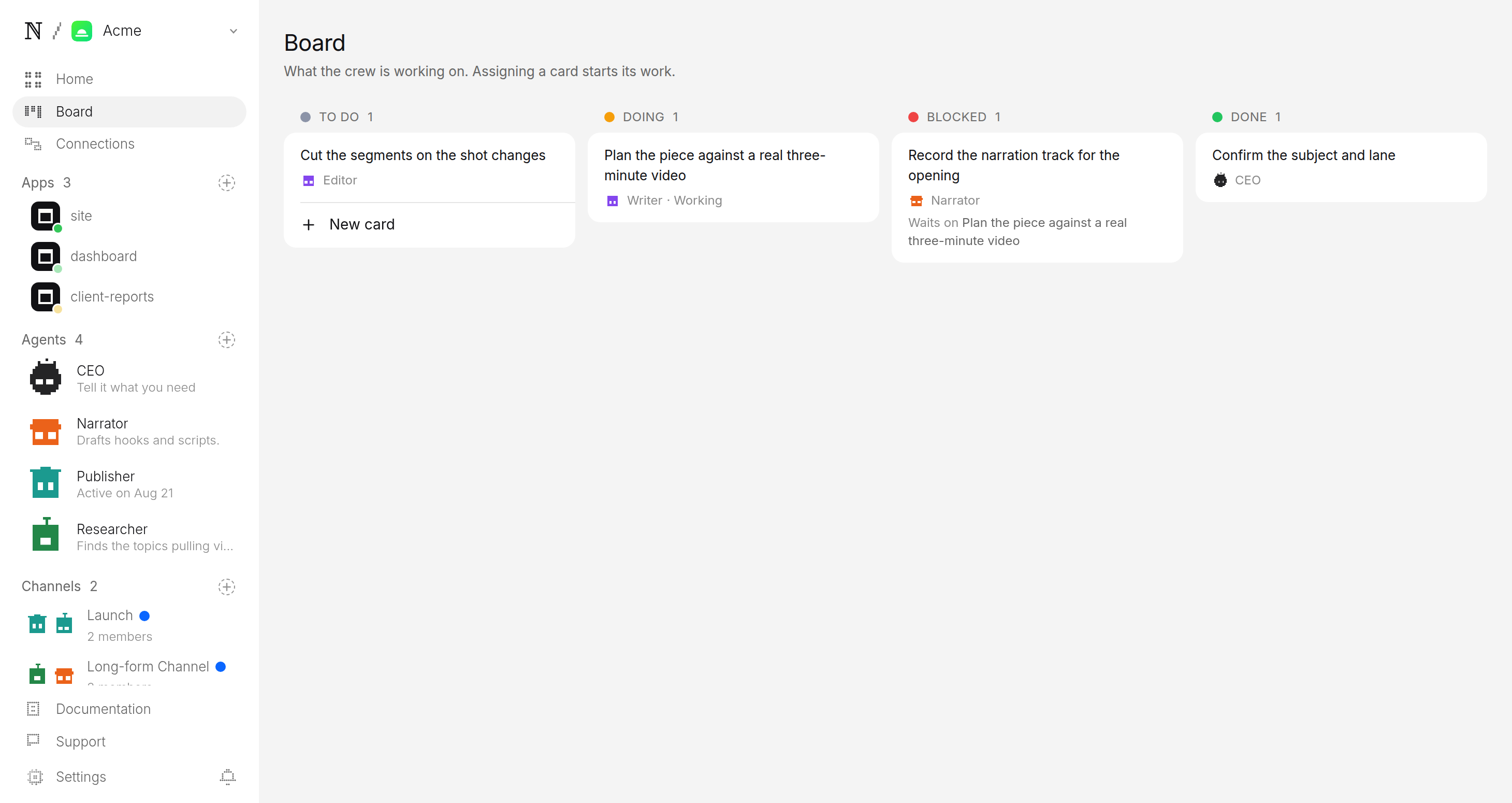
On the schedule you set, the timers — the clock the agents run on — fire and the team works one subject at a time. Between runs there is nothing on, burning money. When a timer fires, the work goes:
- Research — one subject, read until four or five claims can be sourced. A thin subject is caught at research, not after a render.
- Plan — the writer finds a real video of this length, writes down how it opens and where it turns, and pulls frames at those turns before planning a single shot.
- Render — the producer renders the piece in segments, lays every boundary on a shot change so the join never lands mid-shot, and joins them into one file probed against the plan.
As a rough spec, a finished piece targets a two-to-three-minute file, renders as about six to ten segments, and is probed frame-against-plan before it is filed.
If a piece half renders, it resumes from the segments already on disk instead of buying them a second time.
5. How do you approve the file before it posts?
Every completed piece is filed as a pending post, not a published one. It lands in a review queue with the file ready to play, the caption drafted, and where it is queued to go. You watch it, edit the caption if you want, and approve or hold. Approving is the only path onto an account — there is no setting that skips you.
How does long-form compare to shorts and clipping?
The output is a single researched piece you publish across every long-form surface — YouTube, TikTok, and Instagram — so you are not re-cutting for each app. What sets it apart is the work that happens before the render:
| Long-form channel | Shorts channel | Clipping channel | |
|---|---|---|---|
| Runtime per piece | 1–3 min, researched | 15–60 sec | 15–60 sec, cut from a source |
| Starting material | One subject, 4–5 claims sourced | An original brief per clip | A back catalogue you own the rights to |
| Research step | Every claim sourced before a shot is planned | Hook-first, light research | None — the moment is already in the footage |
| Production | Rendered in segments, probed against a plan | Generated in one consistent look | Reframed, captioned, and posted |
| Best when | The subject earns minutes, not seconds | You want volume in one look | You hold a library worth mining |
Pick the platforms your channel uses at setup. Either way, each finished piece still parks in approval first.
What keeps the channel in your control?
Two guarantees sit under everything the agents do, both enforced by the platform rather than by a model's good behaviour:
- A budget it cannot raise. You set a daily cap per agent and a cap per task. Every render is priced before it runs, and a piece that would blow the cap stops instead of spending.
- A queue it cannot skip. The agents research, plan, render, and caption — but the account itself is yours. The pending queue is the only door out.
You set those caps when you deploy; the Long Form Channel company page lists what a run costs before you commit.
Publisher wants to post to YouTube, TikTok and Instagram
Why bridges don't just fall down — the hidden math
A sixty-second cold open on the Tacoma Narrows before we rebuild the physics from scratch.
- Runtime
- 2 min 48 sec
- Goes out
- Tomorrow 9:00 AM ET
- Visibility
- Public
If a different format fits your niche, the faceless video channel generates original shorts in one look, and the AI clipping channel turns a back catalogue into clips. See how to start a faceless video channel and how to start an AI clipping channel — the approval and budget rules in this guide are identical across all of them.
FAQ
- How is a long-form channel different from a shorts channel?
- A three-minute piece is a different job from a fifteen-second one. This team takes a single subject per production day, sources every claim before writing, and borrows its structure from a real video of the same length so the piece earns its runtime instead of filling it.
- What happens if a subject turns out to be thin?
- A subject that runs dry at forty seconds is handed back rather than padded out. The team would rather make nothing that day than ship a three-minute piece stretched over one minute of real material.
- Does it publish on its own?
- No. Every finished file is a pending post, not a published one. It waits in the approval queue with its caption, and approving is the only path onto your account — there is no setting that lets a piece skip you.
- What does it cost to run, and what if a render fails halfway?
- You set a daily cap per agent and a cap per task at setup, and a run that would exceed the cap stops instead of spending. If a piece half renders, it resumes from the segments already on disk rather than paying for them twice.