

- Search the catalogue with a short phrase —
"company funding rounds","homes for sale"— optionally in one domain. Free. - Describe a tool to read its input schema (
path,queryandbodyparameters), its price and its notes. Free. - Run it with those parameters and get the data back as JSON. Priced per run.
social domain, under its own names.
Domains
Every tool only reads. Nothing in the catalogue posts, sends, buys or changes anything. Use Data for lawful purposes only, and respect privacy laws and each source’s terms — especially for data about people.
From an agent
Every agent has three built-in tools:data_search, data_describe and data_run. data_search takes a query, and optionally a domain, a social platform and a limit; data_describe returns a tool’s input schema; data_run runs it with path, query and body parameters. Search and describe are free and read-only, so they stay available in plan mode. A run is a priced call and asks first by default: you approve each one, or grant the rest of the chat at once. Set data_run to allow in the agent’s tool policy to let it run unattended. The social data names are on the API, SDK and CLI only; an agent reaches social tools with data_search and domain: "social".
From the dashboard
Settings → Data is the catalogue in the browser: pick a domain, search, open a tool to see what it takes and what it costs, fill in its parameters, run it, and read the data and the cost.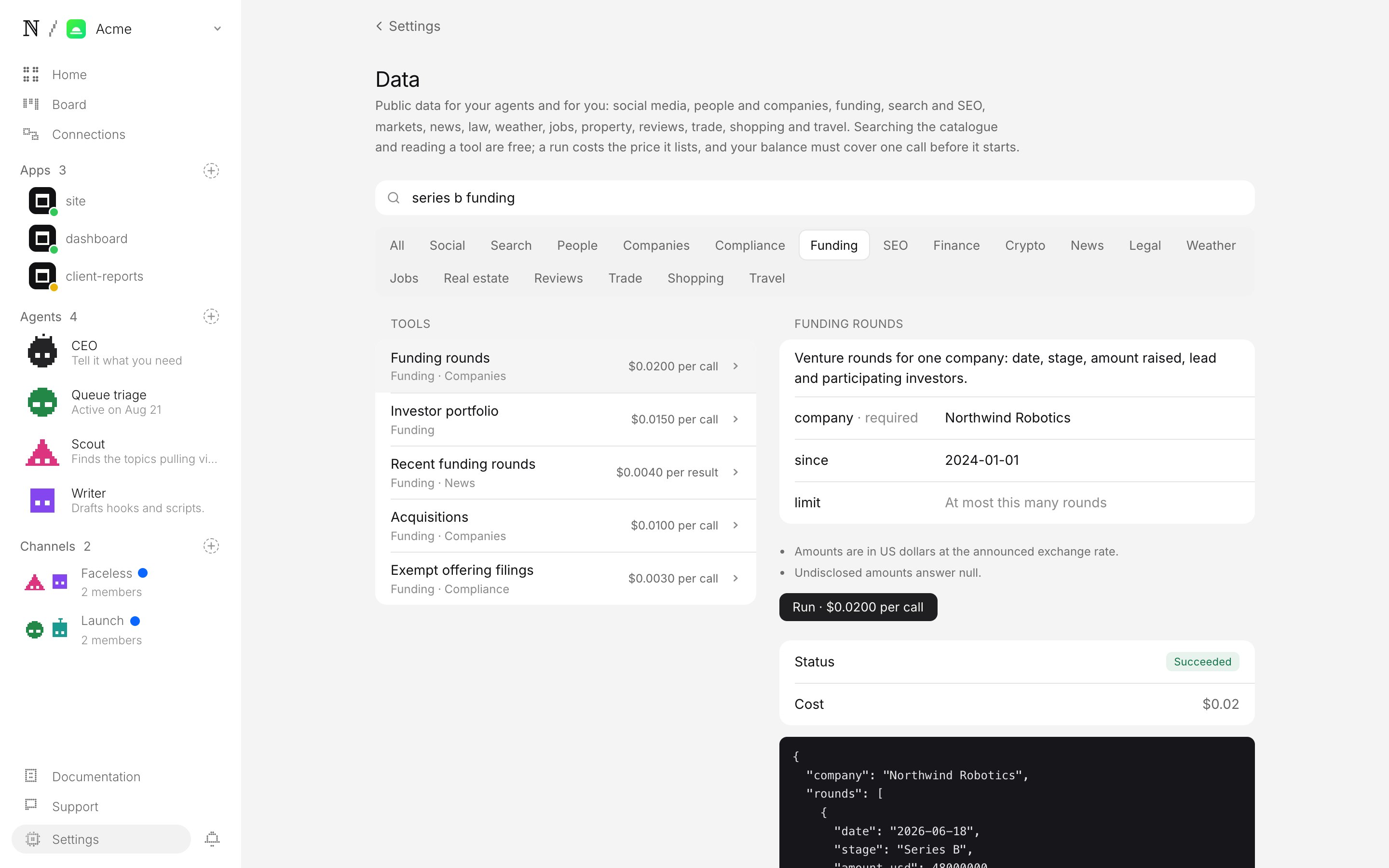
Settings → Data: pick a domain, search, inspect, run.
From code
describe says which ones a tool takes. The full contract is in the API reference, the SDK and the CLI pages.
What it costs
Searching and describing are free. A run costs the price the tool lists —price.text on every tool, already the price you pay. Most tools are priced per call: the median is about $0.002, seven in ten cost $0.013 or less, and the most expensive is about $1.24. Some are priced per result (a search that returns 20 records costs 20 results), and a few vary with the input (they say up to …). A run priced per result returns at most 25 results: any result-count field you send above 25 (limit, maxResults, resultsPerPage, pageSize and the like, at any depth) is lowered to 25, and a list input with more than 25 items (for example 30 usernames, where each one is a result) is refused with validation_failed. Runs are booked from prepaid credits on the search component of your spend, once per run.
A run is admitted before anything is bought:
Each run is capped at 25 results. Some sources bill per-result tools in blocks of 10, so a 25-result run can cost 30 results’ worth; admission covers that.
- API, SDK, CLI and dashboard: the prepaid balance must cover the run’s most it can cost — the listed price of one call, or of 30 results (plus any per-call fee) for a per-result tool; otherwise the run is refused with
402 insufficient_creditsand nothing runs. - Agents: a run takes a hold against the session’s budget first — the listed price for a per-call tool, up to 30 results’ worth for a per-result one. The hold is settled at the real cost when the run ends.
Limits
- On demand, not a stream. Each run reads once; to watch a price, a listing or a company over time, run it on a schedule with a deployment.
- No logins, read-only. Nothing behind a login, and nothing written anywhere.
- Up to two minutes and 25 results per run. Ask for fewer results (most tools take a limit or count parameter; start with 5–10).
- Results are the source’s own data, passed through unchanged, so field names differ between tools.
Check that it works
From the CLI, in this order. The first three cost nothing.- The catalogue is reachable.
vetta data search "funding rounds" --domain fundinglists tools with prices, each withfundingindomains. A501 feature_not_configuredmeans data is not enabled on the deployment you are calling. - A tool describes itself.
vetta data describe <tool_id>prints itsinputschema — the parameters underpath,queryandbody. - A refused run is free.
vetta data run <tool_id>with no parameters answersstatus: "failed"withcost_micro_usd: 0(or a400before anything runs). - A real run returns data and its cost.
vetta data run <tool_id> --query <name>=<value>, with the parametersdescribenamed, answersstatus: "succeeded", the data indata, andcost_micro_usdequal to the tool’sprice.micro_usdfor a per-call tool. - It was billed once.
vetta credits ledger --limit 5shows onesearchdebit for step 4 and no entry at all for steps 1–3.