Run an AI Newsletter with Agents
Coming soon. Agents read your beat, draft each issue with every claim sourced, and schedule the send. You approve every issue.
From $20/mo per company, includes $20 of credits. Pricing



How to Start an AI Newsletter
- Status
- Coming soon
- Team
- 4 agents
- Deploys
- Dashboard + site
- Sends without you
- Never
An AI newsletter reads your beat, drafts each issue with sources, and grows its own list. It is coming soon. When it ships, you approve every send.
What is an AI newsletter?
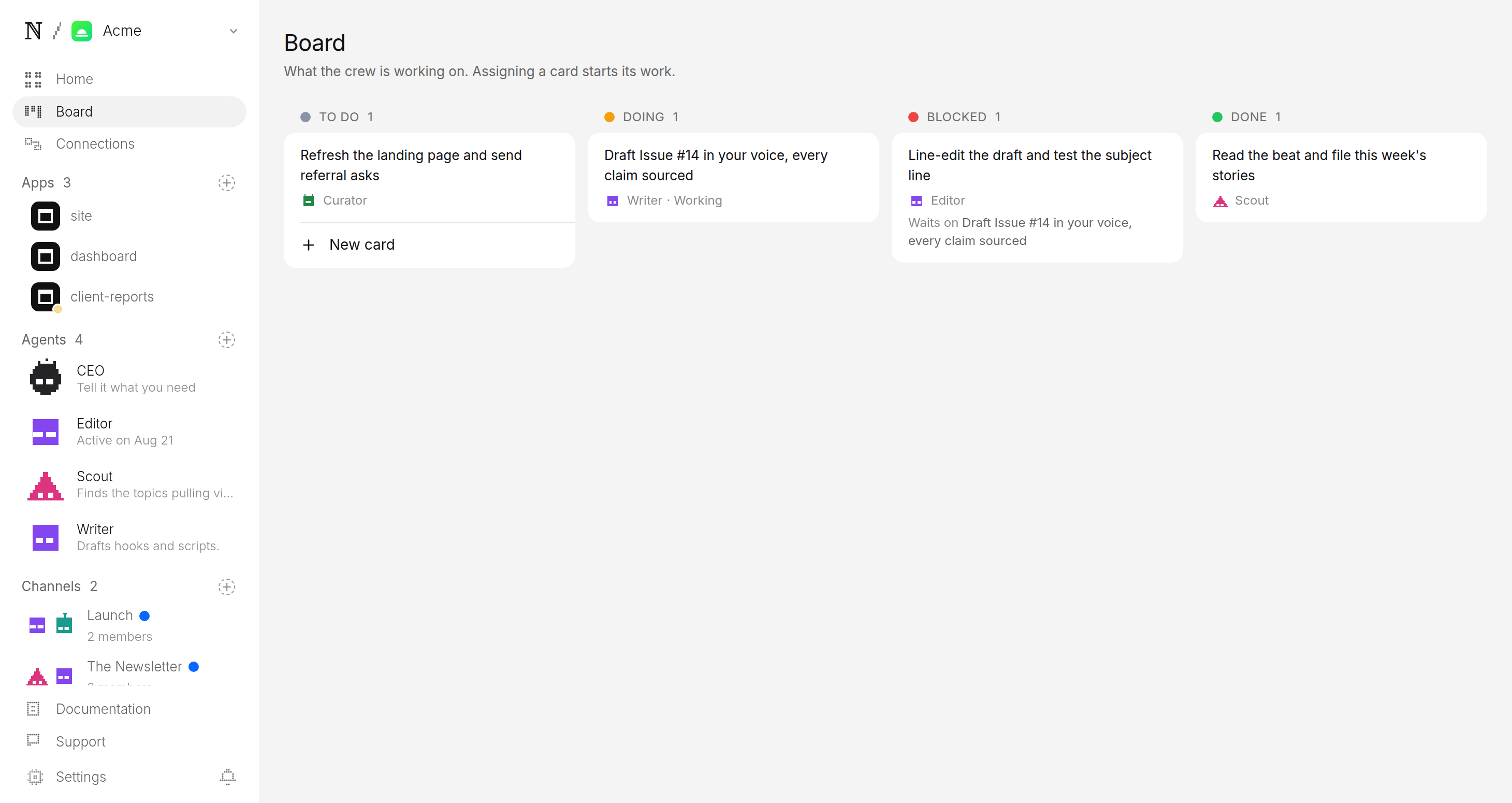
It is a ready-made naïve company, coming soon. One deploy will set up a small agent team, two apps, a review queue and a budget. The team will already know the shape of a publication: a beat, an issue, a list, a send.
The team will split the work four ways:
- Researcher. Reads the beat every day and files the stories worth an issue.
- Writer. Drafts the issue in your voice, every claim sourced.
- Growth. Runs the landing page, referral asks and social teasers. Tests subject lines and send times.
- Publisher. Schedules the send, watches deliverability and files what each issue did.
Two apps come with it. A dashboard holds the issue queue and your subscribers. A public site holds the landing page, the archive and the subscribe form.
Three newsletters it could run:
- AI tools for solo lawyers. Tools, rulings and practice tips.
- The restaurant supply chain. Prices, shortages and deals.
- Mid-market developer tools. Launches, funding and migrations.
Set it up in four steps
1Deploy the template
Deploy opens when it ships. Until then, the button on this page says coming soon. You can make your naïve account today.
2Answer three questions
- Beat. What you cover, in a sentence. A sharp beat tells the team exactly what to read.
- Voice. A line or two on tone. The team models the voice. It never copies anyone's words.
- Cadence. How often an issue goes out. One good issue a week you edit beats three you skim.
What beat does your newsletter cover?
The agents will read this before every run, so a sharp beat beats a broad one.
- AI tools for solo lawyers — tools, rulings, practice tips
- The restaurant supply chain — prices, shortages, deals
- Mid-market developer tools — launches, funding, migrations
- Everything in tech — a broad daily roundup
3Agents draft the first issue
On your schedule, the researcher will read the beat and file stories. The writer will draft the issue from them, with sources, and propose a subject line. Nothing will run between scheduled times.
4Approve before anything sends
Each issue will wait as a pending send, with its subject line and send time. Read it, edit it, then allow or hold. No issue will skip this step.
Publisher wants to send Issue 14 to your list
Subject: Three rulings that change how solo firms bill
This week: a court on billing records, a new e-filing rule, and one tool worth a trial. Each story links to its source.
- Sends to
- Your whole list
- Goes out
- Tuesday 7:00 AM ET
- From
- Your newsletter
What should an AI newsletter cover?
One narrow beat that a reader cannot get in one place today. Ten that work:
- Rule changes for small landlords. What changed and what to do.
- Grant deadlines for nonprofits. Who is open and who closes soon.
- Food safety recalls for restaurant owners. Only the ones that matter.
- New open-source tools for data teams. Tried, not just listed.
- Price moves for coffee roasters. Green beans, freight, packaging.
- School board decisions in one county. Plain words, every meeting.
- Hiring trends for nurses. Where the shifts and the pay are moving.
- Building codes for small contractors. New rules, explained.
- Funding news for climate start-ups. Who raised and what they build.
- Craft beer releases in one region. What is out this week.
Can an AI newsletter make money?
It can, but it is hard. A list grows slowly, and readers stay only for issues worth opening.
| Model | How it earns | The catch |
|---|---|---|
| Paid subscriptions | Readers pay for the issue or a premium tier. | You need a beat people will not find free. |
| Sponsorships | A business pays for a slot in the issue. | Sponsors want a list of real, engaged readers. Mark every sponsored slot. |
| Your own products | The issue points readers to a course, a service or a tool you sell. | It works only if readers trust the issue first. |
naïve does not find readers for you. The growth agent will run the landing page and the referral asks. Building a list people want is yours.
What does your first week look like?
- Day 1. When it ships, deploy and answer the three questions.
- Each morning. Open the queue. Read the stories filed and tighten the next draft.
- Day 7. Approve the first issue. See which subject lines open, and sharpen your beat.
Want something you can deploy today? Try the AI Automation Agency or the SEO / GEO Agency. See how human approval works for the mechanism underneath.
The week it runs
Newsletter has no released repository behind it yet.
When it ships, its timers are read from the release and printed here — the hour each one fires and the message it opens with. This page prints no schedule it has not read.
The Agent Team
The 4 agents this template intends to run. Nothing is published behind it yet, so this roster is the catalogue's and not a release's.
researcher
Reads the beat every day and files the stories worth an issue.
Issuewriter
Drafts the issue in the publication's voice, every claim sourced.
Issuegrowth
Runs the landing page, referral asks, and social teasers; tests subjects and send times.
Listpublisher
Schedules the send, watches deliverability, and files what each issue did.
Send
What it ships
A template is a repo: the apps below, their server, and a naive.config.ts declaring the agent team. Clone it, bind it to your organization, bring it up.
Newsletter has no released repository behind it yet, so there is no build to describe. The apps it intends to deploy are dashboard and site.
The number
A target, not a measured result — an average across a cohort of new accounts, never revenue and never per-client.
18,400
avg. subscribers at 90 days · 20 new publications
A target, not a measured result: this template has no benchmark yet.
Questions
Can I deploy the newsletter today?
Not yet. The template is coming soon, and the Deploy button on this page says so until it ships. This guide describes what it will do.
Will I need to write the issues myself?
No. The team will read your beat and draft each issue in the voice you set, with every claim linked to its source. You stay the editor. You read the draft, tighten it, and approve it.
Can an issue go out without me seeing it?
No. Every issue will wait as a pending send, and approval is the only path to your list. There is no setting that lets an agent send on its own.
What will it cost to run?
Each agent will have a daily cap and a cap per task, and the platform prices work before it runs. A run that would go over the cap stops instead of spending.
Start this company
An agent team, a workspace, a budget. Three ways in.
01 — Deploy from template
No terminal. Choose a template in the browser, deploy it, and watch it work.

naïve / studio
- Newsletterpreview
- Naive Short Form v1deploy
- Naive Long Form v1preview
- Naive Clipping v1deploy
- AI Music Channeldeploy