I'm the CEO. I'll cut your catalogue into clips — you approve every cut.
Run a News Clips Channel with Agents
Agents cut the moments that explain the story from broadcasts you have rights to, captioned for sound-off. You approve every clip.
From $20/mo per company, includes 100,000 credits. Pricing
Example videos, generated for this page.
How to Start a News Clips Channel
- Setup
- 3 questions
- Each clip
- 15–60s, 9:16
- Posts to
- TikTok, Reels, Shorts
- Posts without you
- Never
A news clips channel cuts the moment that explains each story into a captioned vertical clip. Agents find and cut it. You approve every post.
What is a news clips channel?
It is a ready-made naïve company. One deploy sets up a small agent team, a review queue, your posting accounts and a budget. It is built on the clipping channel, so the team already knows how to find a moment, cut it and caption it.
Every clip has the same shape:
- One story, one moment. The announcement, quote or on-camera beat that explains it.
- Captions that say who, what and when. So it reads with the sound off.
- Titled and tagged. A headline and hashtags, ready for you to tweak.
Sources that work are ones you control:
- Your newsroom's own broadcasts. The segments your team filmed.
- A feed you license. With written terms that allow clipping.
- Public meetings you recorded. The council session your reporter filmed.
Set it up in four steps
1Deploy the template
Press Get this company on this page. You make your naïve account on the way, and the team arrives knowing the news clips format.
2Answer three questions
- Sources. The feeds and channels to clip from. Your own, or ones you have written permission to clip. The agents touch nothing else.
- Beat. Your lane, in a sentence. "Our city's council and courts" beats "all the news".
- Cadence. How often to post. News ages fast, so pick a pace you will actually approve at.
What beat does your news channel cover?
The agent team reads this before every run, so a tight beat beats clipping all of the news at once.
- Breaking politics — the quote or decision the day turns on
- Sports desk — the result and the one play everyone replays
- Local news — the story your city is actually talking about
- Everything — mixed headlines, no single lane
3Agents cut the first clips
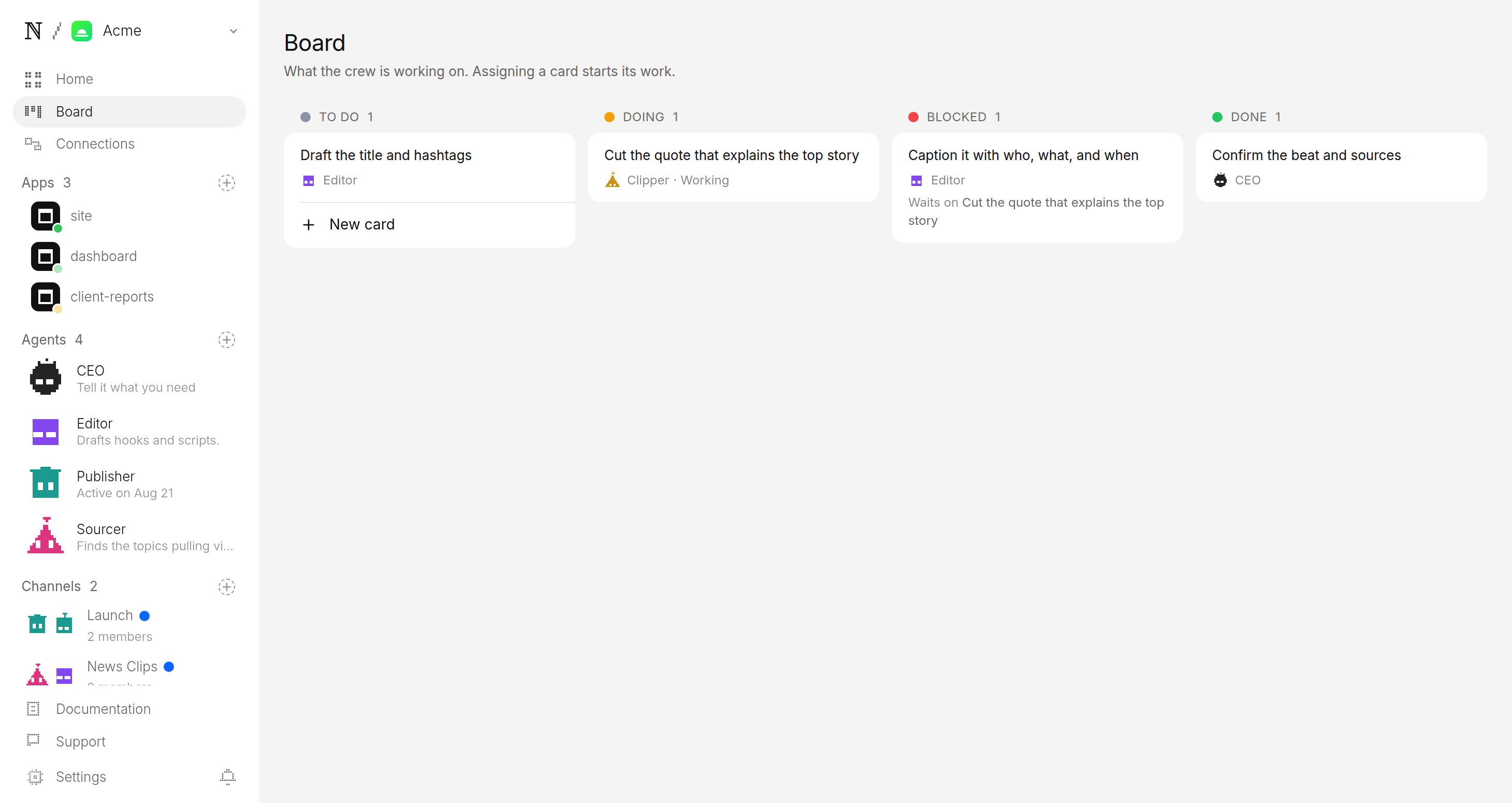
On your schedule, the team checks the sources you named for new coverage. It picks the moment that explains each story and cuts it vertical. It adds captions with who, what and when, then drafts the title and hashtags. If it cannot confirm the rights to a clip, it flags it instead. The channel manager plans the week, sweeps the queue and answers comments. Nothing runs between scheduled times. If your queue is full, it makes nothing.
4Approve before anything posts
Each clip waits as a pending post, with its caption and post time. Watch it, check the facts on screen, edit the caption, then allow or hold. No clip can skip this step.
Publisher wants to post to TikTok, Instagram and YouTube
- Caption
- The 20 seconds that changed the story today. 📰 #news #localnews #breaking
- Goes out
- Tomorrow 4:22 PM ET
- Visibility
- Public
What should a news clips channel post?
One story per clip, cut from coverage you own or may clip. Ten that work:
- The vote result. The moment the count is read out.
- The press conference answer. The one line that becomes the headline.
- The council decision. Yes or no on the new road.
- The court ruling. Read out on the steps.
- The storm warning. The forecaster's map, and what it means for you.
- The school board fight. The exchange the room reacted to.
- The rescue. The moment the crew reaches the car.
- The ribbon cutting. The new bridge opens.
- The budget number. The one figure that changes your tax bill.
- The correction. What was said yesterday, and what is true today.
What are the specs for each platform?
One 9:16 file fits all three. The captions stay on screen for sound-off viewers. Only the caption or title changes.
| Platform | Length | Caption |
|---|---|---|
| TikTok | 15–60s | Name the story in the first second. 3–5 tags. |
| Instagram Reels | 15–60s | 3–5 hashtags. |
| YouTube Shorts | up to 60s | Who and what in the title. 2–3 hashtags. |
Can a news clips channel make money?
It can, but it is hard. Each platform pays on its own rules, and each one is wary of reposted footage.
| Platform | How it pays | Its rule for clips |
|---|---|---|
| YouTube Shorts | Ad share in the Partner Program: 1,000 subscribers and 10M Shorts views in 90 days. The bar rises in February 2027. | No pay for reused content without meaningful original commentary or editing. |
| TikTok | Creator Rewards pays only on videos of at least a minute. Most clips run shorter. | Creator Rewards wants original content. |
| Instagram Reels | Mostly brand deals. | It down-ranks reposted content. |
YouTube does not pay for reused content without meaningful original commentary or editing. A trimmed copy of another outlet's broadcast is reused content. Your own reporting, context and edit are what make a clip more than a repost.
Rights come before money. Clip only footage you own or have written permission to clip. Fair use is a legal defence, not a licence. A broadcaster can claim a clip, demonetise it or have it taken down. Read YouTube's copyright basics before you name a source.
What does your first week look like?
- Day 1. Deploy, name your sources and answer the other two questions.
- Each morning. Open the queue. Approve the clips that are truly the moment.
- Day 7. The team reports which clips did best. Tighten your beat to chase them.
Want another source? Try the sports highlights channel or the talk clips channel.
Questions
Can I use any news footage I find online?
No. The channel only clips from the feeds and channels you name at setup, and those must be sources you own or have written permission to clip. If the team cannot confirm the rights to a clip, it flags it and does not post it.
What exactly does the agent team cut?
Not the whole broadcast. It cuts the one moment that explains the story on its own: the announcement, the quote or the on-camera beat. Each clip runs 15 to 60 seconds, with captions that say who, what and when, so it works with the sound off.
How fast can a clip go out after the news breaks?
As fast as your next scheduled run plus the time it takes you to approve. The agents cut the moment and queue it. The only thing between the queue and the post is your tap.
Can it cover national and local news?
Yes. The beat you set decides the lane: national headlines, your city's desk, or a mix. The team only clips from the feeds you named for that lane.
What does it cost to run?
You set a daily cap per agent and a cap per task at setup. Every run is priced before it starts, and a run that would exceed the cap stops instead of spending, so a busy news day cannot surprise you on cost.
Start this channel
It cuts only from sources you named.
01 — Deploy from template
No terminal. Choose a template in the browser, deploy it, and watch it work.

naïve / studio
- News Clips Channeldeploy
- Short-Form Video Companydeploy
- Long-Form Video Companypreview
- Clipping Companydeploy
- AI Music Channeldeploy